

Overview
Get up and running with the Bluum Finance API in under 10 minutes. This guide walks you through creating an account, obtaining your API credentials, and making your first API call.What you’ll need: A web browser and a terminal or API client (curl, Postman, or similar). No prior setup required.
Step-by-step setup
Create an account
Sign up for a Bluum Finance account to access the API.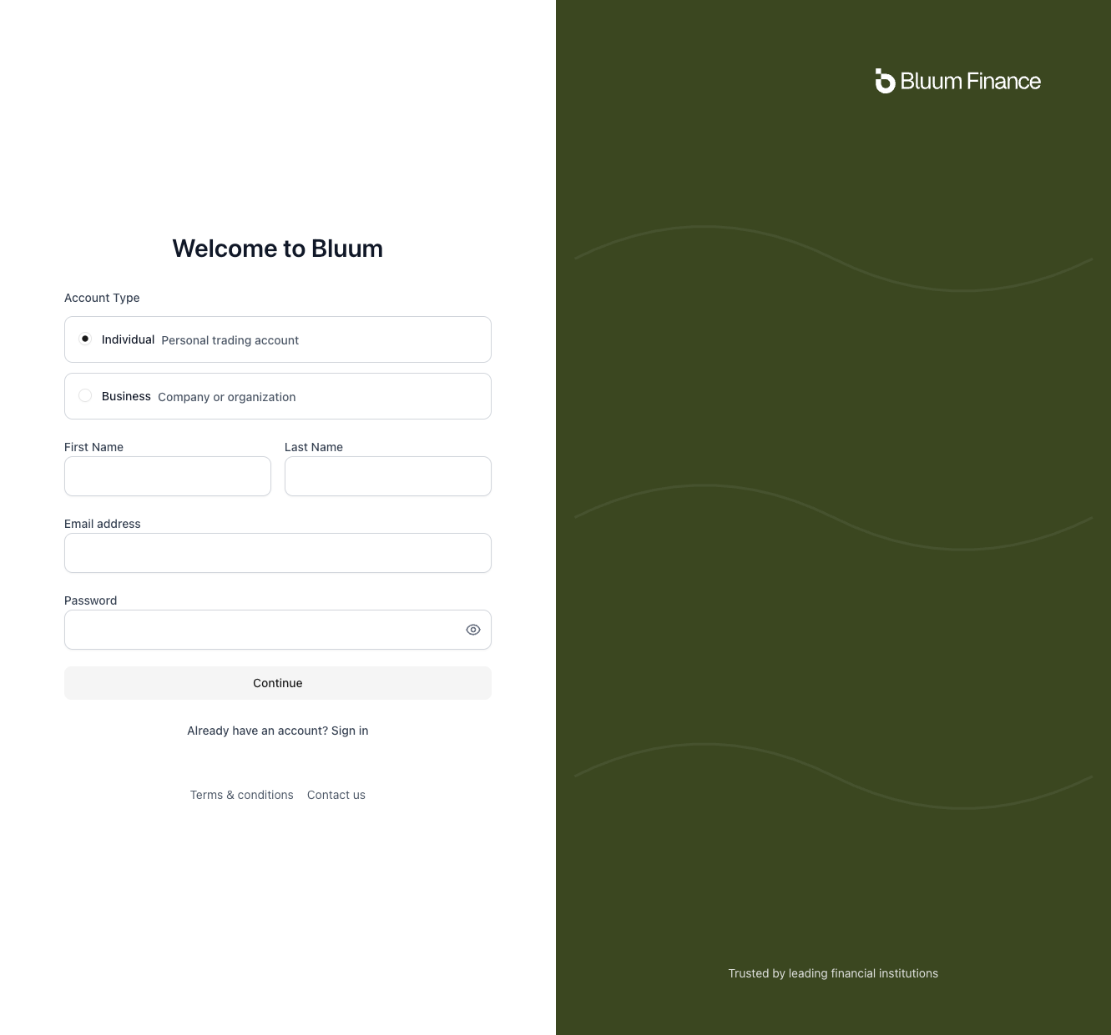
- Visit the Bluum Finance dashboard
- Click Sign up or Create account
- Complete the registration form with your email and company information
- Verify your email address when prompted
You should receive a confirmation email. Click the verification link to activate your account.
Get API credentials
Access your API credentials from the dashboard after logging in.
- Log in to the Bluum Finance dashboard
- Navigate to Settings or API Keys in the dashboard menu
- Click Create API Key or Generate Credentials
- Copy your API Key and API Secret immediately—the secret is only shown once
You should have both an API Key (starts with letters/numbers) and an API Secret (longer string). Keep these ready for the next step.
Make your first API call
Test your credentials by retrieving a list of tradable assets. This endpoint doesn’t require an account to be created first.Replace
YOUR_API_KEY and YOUR_API_SECRET with the credentials you obtained in the previous step.If you receive a JSON array of assets, your credentials are working correctly. You’re ready to explore the API further.
Troubleshooting
401 Unauthorized error
401 Unauthorized error
Cannot access dashboard
Cannot access dashboard
Ensure you’ve verified your email address. Check your spam folder if you didn’t receive the verification email. Contact
support@bluum.finance if you continue to have issues.API credentials not visible
API credentials not visible
Some accounts may require approval before API access is enabled. Contact
support@bluum.finance to request API access activation.Next steps
Now that you’ve made your first API call, explore what else you can build:- Create accounts: Onboard investors with the Accounts API
- Place orders: Start trading with the Trading API
- View documentation: Explore the complete API Reference